How to enforce security policies on AI coding agents: a checklist

Summary
To enforce security policies on AI coding agents, use two layers: hard settings the agent can't override, and shared security context it reads on every task.
Claude Code, Cursor and Codex each have an admin-controlled settings layer for the first. Context files like CLAUDE.md, Cursor rules and AGENTS.md handle the second.
Then review every PR, because guidance alone is never a guarantee.
Why aren't rules files enough to enforce security policy?
Because a model reads guidance and usually follows it, but nothing makes it.
Cursor says this plainly in its own security hardening guide: treat Team Rules as suggestions and pair them with deterministic controls. The same is true of CLAUDE.md and AGENTS.md.
That gives you three layers to think about, and each does a different job.
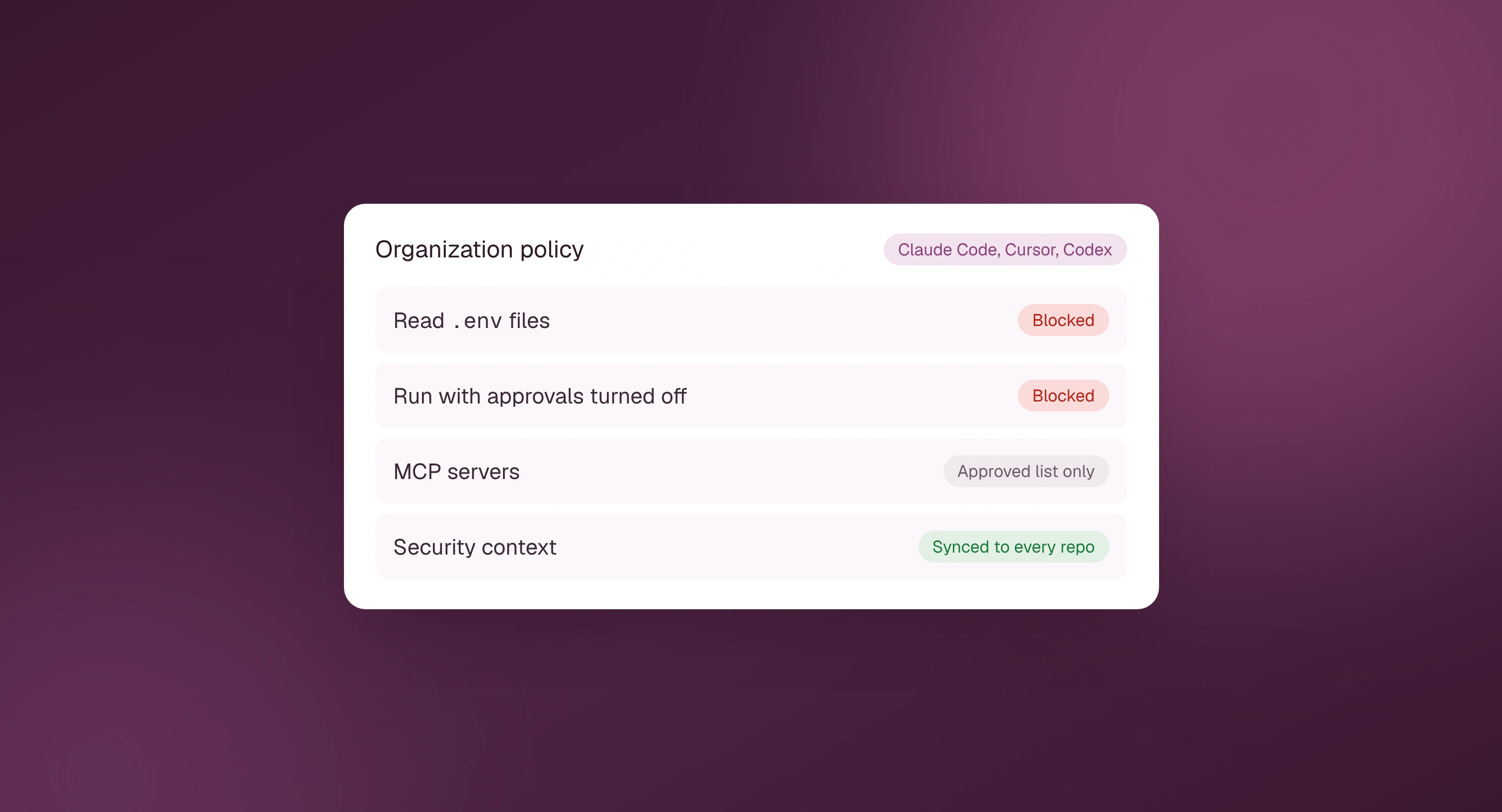
- Enforce. Settings that block an action outright, such as reading
.envfiles, running with approvals turned off or connecting to an unapproved MCP server. The agent can't talk its way past them. - Guide. Security context that shapes what the agent writes: how your codebase does auth, where secrets come from, which patterns to avoid. This is where most vulnerabilities get prevented, and it's also where most teams' context goes stale.
- Verify. A security review on every pull request, so anything the first two layers miss gets caught before merge.
How do you enforce security settings in Claude Code?
Claude Code has managed settings that sit above every other settings level, so no user, project or local value can override them.
You can deliver them from the claude.ai admin console, through MDM, or as a managed-settings.json file on each machine.
- Add
permissions.denyrules for files agents should never read, such as.envand credential folders. - Set
disableBypassPermissionsModeso nobody can run the agent with every approval turned off. - Set
allowManagedPermissionRulesOnlyif you want only your organization's allow rules to apply. - Lock MCP servers to an approved list with
allowedMcpServersandallowManagedMcpServersOnly. - Use
allowManagedHooksOnlyso only hooks you deploy can run. - Commit a shared
.claude/settings.jsonand CLAUDE.md for project-level guidance, and run/statusto confirm what loaded.
One detail worth knowing: deny and ask rules in a committed project file apply straight away, while allow rules wait until each developer trusts the folder.
So you can tighten a repo from its own settings file, but you can't quietly loosen it.
How do you enforce security settings in Cursor?
Cursor's enforcement lives mostly in the team dashboard and MDM, on Teams and Enterprise plans.
- Create Team Rules for your security standards and mark the critical ones as enforced, so members can't switch them off.
- Enforce Privacy Mode at the team level so code isn't retained for training.
- Use hooks for checks that must always run, since rules are guidance and hooks are deterministic.
- Restrict MCP servers to an allowlist and limit which extensions can be installed.
- Push the allowed team ID through MDM so developers can't use a personal account on a work machine.
- Keep project rules in
.cursor/rules/in each repo for codebase-specific guidance.
How do you enforce security settings in Codex?
Codex splits admin control into requirements and managed defaults.
Requirements are constraints users can't override. Managed defaults are starting values that users can change during a session.
- Use
requirements.tomlto limit approval policies, so the agent can't run with approvals switched off. - Limit sandbox modes to read-only and workspace-write, which blocks full-access mode.
- Set web search and network access rules, and an allowlist of MCP servers.
- Deploy requirements through cloud-managed policies on ChatGPT Business or Enterprise, or through MDM or a system file.
- Keep an AGENTS.md in each repo for project guidance.
What security context should every coding agent have?
Settings stop dangerous actions. Context is what stops agents writing vulnerable code in the first place.
Good security context covers:
- How auth works in this codebase. Which middleware checks sessions, and how resources are scoped to an account or tenant.
- Where secrets come from. The secrets manager or environment variables to use, and a clear rule never to hardcode keys.
- Input handling. Which validation library and query builder to use, so agents don't hand-roll SQL or skip validation.
- Your own history. The vulnerability types your team has already fixed, so agents don't write them again.
- What not to touch. Files and folders that need a human, like CI workflows and infrastructure config.
The hard part is keeping this current.
Every agent reads a different file: CLAUDE.md and skills for Claude Code, .cursor/rules for Cursor, AGENTS.md for Codex, copilot-instructions.md for GitHub Copilot. Multiply that by every repo and the context drifts out of date within weeks.
Why is PR review the backstop?
Because the first two layers reduce risk without removing it.
An enforced setting can't judge whether new code has a missing access check. Guidance gets ignored some of the time, and a stale rule can point an agent the wrong way.
A security review on every pull request catches what reaches the codebase, whoever or whatever wrote it.
That matters more as agents take on more of the work. GitHub's Octoverse 2026 report says agents started more than 40% of pull requests in September, up from 17% in March.
How Dam Secure fits
Dam Secure covers the guide and verify layers.
Managed Security Context maps how your codebase works and writes security context in the formats each agent reads, including Claude Code skills, Cursor rules, AGENTS.md and Copilot instructions.
You set it up once, and it stays current as your code changes and as your team fixes or dismisses findings, with no extra files for anyone to maintain.
Then PR security reviews check every pull request in under two minutes, with fewer than five false positives per PR, so anything the guidance misses gets caught before merge.
Want your agents working from your security standards? Speak to our team.
FAQ
Can you force an AI coding agent to follow security rules?
You can force some behaviors with admin-managed settings, such as blocking file reads or requiring approvals.
You can't force a model to follow written guidance every time, which is why teams pair enforced settings with a security review on every pull request.
What are Claude Code managed settings?
Managed settings are organization-level settings that override every user and project setting in Claude Code. Admins deliver them from the claude.ai console, through MDM, or as a managed-settings.json file.
Are Cursor rules enforced?
Cursor Team Rules can be marked as enforced so members can't switch them off, but they're still guidance to the model. Cursor recommends pairing them with deterministic controls like hooks.
What is requirements.toml in Codex?
It's an admin-controlled file of constraints that Codex users can't override, covering approval policies, sandbox modes, web search and MCP servers.